Claude Cowork Enterprise: Chat and Cowork Unite for Business Teams
Anthropic has made its unified Claude chat-and-Cowork experience generally available to Claude Enterprise customers. The central change is simple: employees can begin in a conversation and, when a request calls for more involved work with files or code, continue in a cloud-based Cowork session without choosing a separate product first.
The unified experience is available across web, desktop, and mobile. Anthropic says that work can continue after someone closes a laptop and can be picked up on another supported device. For companies, the release also introduces or extends administrative controls for deciding who can use the experience and managing usage. This guide explains how it works, what admins should check before rollout, and where the current limitations matter.
Availability note: Anthropic announced general availability on October 23, 2026. As of November 2, 2026, the Enterprise admin guide says the feature is off by default in existing organizations and is scheduled to turn on by default on November 16, 2026. Admins can enable it earlier or keep it disabled.
What is Claude Cowork Enterprise?
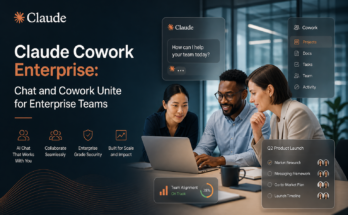
Claude Cowork Enterprise refers here to using Cowork within Claude Enterprise’s unified Claude experience. Instead of requiring a user to decide between “Chat” and “Cowork” before starting, the same conversation can handle both a quick question and a more substantial task.
A user might ask Claude to explain a document, then request a comparison across several files or ask for a spreadsheet, report, or presentation. When a task needs code execution or work with files, Claude can continue in a cloud session and return its work for review. Anthropic describes these sessions as running in a cloud environment it manages. The user can follow up in the same conversation rather than transferring context into a different mode.
This is a change to how people access the capabilities, not a guarantee that every request will become an autonomous project. A short question can still receive a short answer. Users should describe the desired result, provide relevant context, and review generated work before relying on it.
How the unified workflow works
- Start with a normal conversation. Ask a question, provide instructions, or explain the outcome you need. No separate Cowork selection is required in the unified experience.
- Continue into task work when needed. If the request calls for file handling or code execution, Claude can move into an agentic cloud session within that conversation.
- Review the returned work. Claude can return deliverables such as documents, analyses, or presentations for the user to inspect and edit. Treat the result as a draft or work product requiring appropriate human review.
- Pick up across devices. The same work can be continued on web, desktop, or mobile. Anthropic says cloud work can continue while the user is away from their computer.
Anthropic says chats, projects, connectors, skills, and plugins carry over to the unified experience. Organizations should still test their own configurations during rollout, especially where connector permissions, access policies, or team-specific workflows are important.
Practical uses for teams
The combined workflow is most useful when everyday questions and longer tasks are part of the same piece of work. For example, a finance analyst could ask Claude to clarify a budget line, then request an analysis of supplied budget files and a draft summary. A project team could discuss a set of source documents and then ask for a structured report. A developer could begin by discussing an implementation approach and continue with a code-related task, subject to the organization’s enabled capabilities.
These are examples of workflow patterns, not promises about accuracy or suitability for every team. Results depend on the instructions, files, access, and controls available in the organization. For sensitive, regulated, or high-impact work, teams should follow their established review and approval processes.
Cloud execution can also help with continuity: users do not have to keep a desktop session open simply for a cloud task to proceed. However, this does not mean every form of local computer access is automatically available. Linking a user’s computer and working with local folders or local tools are separate capabilities governed by desktop and organization settings.
What Enterprise admins can control
Enterprise owners manage the unified experience from the organization’s settings. The central organization-level capability is called Chat and Cowork unified. Admins can turn it on for the organization, while custom roles can be used to grant or withhold access for particular groups of members. The organization setting must be enabled for role-level access to apply.
Before enabling the feature, Anthropic’s setup guidance says organizations need Chat and cloud code execution and file creation enabled. Existing customers may have different starting configurations, so administrators should review the setup guide rather than assuming the same switch settings apply to everyone. For a staged rollout, Anthropic recommends using a pilot group or roles, reviewing security and network settings, monitoring usage, and expanding in waves.
Administrators should also consider how the new experience fits existing policies for connectors, network access, approvals, sharing, scheduled tasks, and device management. The admin guide states that organization identity settings, including SSO and SCIM provisioning, continue to apply. The Compliance API and analytics integrations can cover the unified experience using existing access keys, subject to the organization’s setup.
Role-based access is particularly useful where one department needs the capability sooner than others, or where an organization wants to validate workflows before enabling them broadly. Admins should check custom roles carefully: access depends on the capabilities assigned to each role, not only on the organization-wide toggle.
Efficient mode and usage management
Claude Enterprise remains usage-based, and agentic work can consume more tokens than a quick chat, depending on the task. Anthropic’s new Efficient mode keeps the unified experience on Sonnet and Haiku models. It is one part of a broader set of usage controls, rather than a flat-price or unlimited-use option.
Admins can also use model entitlements to determine which models are available to each role, and spend limits can be set at the organization, group, and member level. Anthropic also describes pooled group budgets, which give a group a shared monthly amount. Together, these tools let administrators align model access and spending boundaries with team needs.
A sensible launch process is to establish a baseline, choose a pilot group, set appropriate limits, and review usage after the pilot. Teams can identify which workflows justify longer-running task sessions and which are better handled as ordinary chat. Since costs depend on usage and task complexity, avoid assuming that every Cowork task will cost the same as a short text exchange.
For reporting, Anthropic says usage by members with access to the unified feature is reported under a separate “Chat and Cowork unified” category. Administrators comparing historical figures should account for that new category so that a shift in reporting labels is not mistaken for a fall in overall activity.
Security and deployment considerations
Anthropic says agentic work in the unified experience runs in isolated cloud virtual machines managed by Anthropic. For Enterprise, network egress is off by default, and connector credentials are kept outside the sandbox. Admins can configure network egress and connector policies; they should review those settings against the organization’s security requirements before broad deployment.
Anthropic also states that Enterprise data is encrypted in transit and at rest and is not used for model training by default. These statements do not replace an organization-specific security assessment. Teams should review the applicable product terms, retention settings, connector permissions, and internal requirements before handling confidential or regulated information.
One important limitation: according to the current Enterprise setup guide, the unified experience is not available to organizations using zero data retention (ZDR), the HIPAA-ready configuration, or customer-managed encryption keys (CMEK). Organizations with any of these configurations should confirm their options with Anthropic and avoid assuming that the unified feature is covered by an existing specialized setup. In particular, availability of local Cowork in some environments should not be confused with availability of the unified cloud experience.
For local files, local MCP servers, or applications on an employee’s computer, users may need to link their computers through the Claude desktop app. That access is optional and remains subject to device policy and remote-control settings. Cloud-based work and computer-linked access are distinct configurations, so security teams should evaluate them separately.
Recommended rollout checklist
- Confirm that the organization’s data retention and compliance configuration is compatible with the unified experience.
- Review the required Chat and cloud code execution/file creation capabilities.
- Choose whether to enable access organization-wide or first through a pilot and custom roles.
- Check model entitlements, Efficient mode, spend limits, and group budgets.
- Review connector permissions, network egress, approvals, sharing, and device policies.
- Tell users what kinds of work are appropriate and that generated deliverables need review.
- Monitor usage and feedback before expanding access to more teams.
Frequently asked questions
Is Claude Cowork Enterprise available now?
Anthropic announced general availability for Claude Enterprise on October 23, 2026. However, the current admin guide says the feature is off by default in existing organizations. An owner can enable it early in Organization settings, and the guide says it will turn on by default on November 16, 2026, if the required capabilities are enabled and the organization has not chosen otherwise.
Do employees still have to choose between chat and Cowork?
Not when the unified experience is enabled for them. Conversations begin as chat, and Claude can continue into a Cowork cloud session when a task needs more involved file or code work.
Can Claude keep working after the employee closes a laptop?
Anthropic says cloud sessions can continue after the user closes their laptop, and users can pick up work on web, desktop, or mobile. This describes cloud execution; local computer access has separate requirements and controls.
Does Efficient mode make usage unlimited or fixed-price?
No. Enterprise pricing remains usage-based. Efficient mode limits the unified experience to Sonnet and Haiku models, while model entitlements and spend limits provide additional controls. Actual usage can vary with the task.
Can every Enterprise organization use the unified experience?
Not currently. Anthropic’s setup guide lists organizations using ZDR, the HIPAA-ready configuration, or CMEK as not eligible for the unified experience at this time. Check the current administrator documentation for changes before planning a rollout.
Where should admins begin?
Start in Organization settings and review the Chat and Cowork unified capability, required cloud code execution and file creation settings, and the role assignments that determine which users can access it. Then validate security, cost, and reporting settings with a small pilot.
Bottom line
Claude Cowork Enterprise brings everyday chat and more involved cloud-based task work into one conversation across web, desktop, and mobile. For employees, the benefit is a simpler way to move from a question to a larger assignment. For administrators, the key work is governing access by role, setting usage controls, and confirming that the organization’s security and compliance configuration supports the feature. A measured rollout—with a pilot, clear review expectations, and cost monitoring—can help teams evaluate the experience before making it broadly available.
Sources: Anthropic: Claude Cowork and chat come together for Enterprise; Claude Help Center: Set up and manage the new unified Claude experience for your Enterprise organization.

One Comment on “Claude Cowork Enterprise: Chat and Cowork Unite for Business Teams”